
Mac Mini
Mac Mini M4 Dynamic IP
Static Mac in Cloud
Mac Mini M4 Malaysia
- Apple Mac Mini M4 chip
- Remote access anytime, anywhere
- Ideal for developers, designers, students, and businesses
- Fully managed setup ready to use instantly
No upfront hardware costs. Flexible billing.
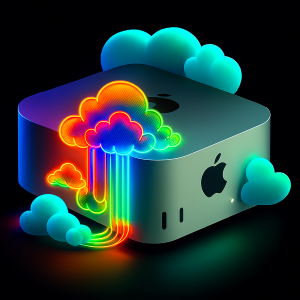
Dedicated Resources
Dedicated CPU, GPU, and memory are 100% yours.
Remote Access
Connect securely anytime and anywhere with remote desktop, Screen Sharing or SSH.
Flexible Rental
Scale your Mac infrastructure around your projects instead of committing to expensive hardware purchases.
Real Hardware
A physical, dedicated Mac mini. Not a virtualized instance. Not a VM.
Static Mac Mini M4 Plans
Mac mini M4
- Apple M4 chip
- 10-core CPU, 10-core GPU
- 16-core Neural Engine
- 16GB unified memory
- 256GB NVMe SSD Storage
- 100Mbps Unmetered Bandwidth
- 1 Static IP address
- Malaysia Data Center
- Deskin, Root SSH, & Apple Remote Desktop access
Mac Mini M4
- Apple M4 chip
- 10-core CPU, 10-core GPU
- 16-core Neural Engine
- 16GB unified memory
- 256GB NVMe SSD Storage
- 100Mbps Unmetered Bandwidth
- 1 Static IP address
- Malaysia Data Center
- Deskin, Root SSH, & Apple Remote Desktop access
Mac mini M4
- Apple M4 chip
- 10-core CPU, 10-core GPU
- 16-core Neural Engine
- 16GB unified memory
- 256GB NVMe SSD Storage
- 100Mbps Unmetered Bandwidth
- 1 Static IP address
- Malaysia Data Center
- Deskin, Root SSH, & Apple Remote Desktop access
Static Mac in Cloud Ready in Just 4 Steps
We host physical Mac computers in secure data centres and provide direct remote-desktop access, no virtual machines. Your data can be securely removed after your session, or kept on our servers on request so you can reconnect later.
01
Choose Your Plan
Choose your static Mac in cloud plan.
02
Get Your Credentials
Mac Mini is being provisioned and you will receive the connection details and login credentials
03
Connect a Remote Desktop
Download DeskIn and connect in seconds.
04
Start Using Your Mac
Once connected, you'll have full access to your static Mac in cloud ready for Xcode, app builds, testing, or any other development work.
What teams run on it
Anything that needs real macOS, real Apple silicon, and a machine that’s yours alone.
01
iOS & macOS CI/CD
Run Xcode builds, unit tests, and UI tests on dedicated runners with no queueing behind other tenants' jobs.
02
App notarization & code signing
Keep signing certificates and provisioning profiles on hardware you control, isolated from shared infrastructure.
03
Cross-device testing farms
Pair with simulators or physical devices to test across iOS, iPadOS, and macOS versions in parallel.
04
On-device & local AI inference
Use the dual Neural Engine's bandwidth to serve Core ML models or run local LLMs without cloud GPU pricing.
05
Xcode Cloud alternative
Full control over the build environment, custom toolchains, cached dependencies, and no per-build compute limits.
06
Render & creative workloads
Offload 3D, motion, and video rendering to a M6 node while your team keeps working locally.
Your Static Mac in Cloud, racked and ready.
Spin up a M4 node or M6 node included, or talk to us about reserved fleets for your team.
FAQ
Static Mac in cloud lets you access a real Mac (like a Mac Mini M4) remotely over the internet, without buying or owning the physical hardware. You get full control of a dedicated Mac for development, testing, or app builds hosted in a secure data center and come with a static IP address.
Yes, you can rent additional Mac units to scale up your team or workload. Contact us to set up multiple units under your account.
Static Mac in cloud is the most cost-effective way to access the macOS ecosystem without the high upfront cost of buying hardware. It is ideal for:
- iOS/macOS developers who need Xcode access without buying Apple hardware.
- Teams running CI/CD pipelines for Apple app builds.
- Businesses with Mac-dependent workloads (app development shops, agencies, QA/testing teams) who want dedicated Mac infrastructure without on-site hardware management.
- Anyone needing occasional Mac access without a large upfront investment
A Static IP is a fixed internet address that stays the same permanently, unlike a Dynamic IP which changes periodically. Visit our Static Mac mini to know more.
Yes, visit our rent a Mac Mini M4 to view plans.
- Dynamic IP : Assigned automatically and may change over time, suitable for general use.
- Static IP : A fixed, dedicated IP address that doesn’t change. Useful for tasks like remote access whitelisting, hosting services, SSL certificates, or any setup that requires a consistent, predictable address.
We support multiple remote access methods to suit your workflow:
- DeskIn
- Screen Sharing (macOS built-in)
- SSH (Secure Shell)
These options allow you to securely connect and manage your Mac Mini from anywhere.
These guides will walk you through the setup and connection process.
How to Access Your Mac in Cloud via DeskIn
How to Access Your Mac in cloud via Screen Sharing
Our standard provisioning time is 24 – 72 hours.
However, we always aim to deliver your Mac Mini within 24 hours whenever possible.
If you need help you may Submit a support ticket. Our support team will respond and assist you as quickly as possible.