DEDICATED
Next-gen Apple silixon, faster builds
For CI/CD and Xcode builds
Ideal for development, testing, browsing, and everyday use.
Stable IP for builds, signing, and firewall rules
Robust, secure, industrial grade
Affordable, fast reliable
High performance for Windows applications
VIRTUAL SERVERS
Rapid provisioning in minutes
Cost-effective choice let's you focus on your business with donfidence
Versatile hosting and apps
Pre-installed cPanel for your websites
SERVICES
Reliable Colocation data center for your server infrastructure.
Professional & Reliable migration service.
NEW
Rent a Mac mini M6
Apple silicon performance for CI/CD, Xcode builds, and app testing. Deploy in minutes.
CLOUD SOLUTIONS
Agentless backup & recovery for cloud environment.
Fully secured environment for your data.
Fully integrated solution to backup & restore.
Boost Availability For Your Business.
Recover & Prevent data loss from disaster powered by Veeam.
Professional Cloud Hosting To Handle Heavy Workloads.
Scalable private cloud solution hosted within Australia.
Build your customer trust and confidence.
Complete, cloud-based website protection.
Increase visibility & scalability of your AWS Cloud.
HOSTING SOLUTIONS
Antispam & Secure email server backed by SmarterMail.
Web Hosting with Premium Security Features.
Simplify Your Management with WordPress Toolkit.
Make More Money by Selling Market Leading Cloud Servers.
Combination of high-performance server with SSD Drive for your business.
The best hosting to increase availability and minimize business overload.
Switch to Casbay Hosting and get exclusive discount on our plans.
DOMAIN HOSTING
Get your domain for local business in Malaysia.
Choose your domain extension with affordable price.
Transfer & Renew Your Domain at Cheapest Price.
Understanding how the life cycle of a domain works.
Protect your private information with Whois.
WHY US
Our vision, history and photo gallery.
Tier III certified data centre in Malaysia.
Understanding Casbay Privacy Policy.
Find out what our clients say about us.
The latest news and media releases.

Right now you sign in and execute all commands as root users on your computer. You can change each aspect of your server by this user. This is perfect for administration, but it is not ideal for protection to login periodically and access your VPS as user.
Then, to sign in and perform administrative tasks, you can add a new account. Replace username with your preferred username.

The command will ask you to input a password. We highly recommend a strong, secure password.
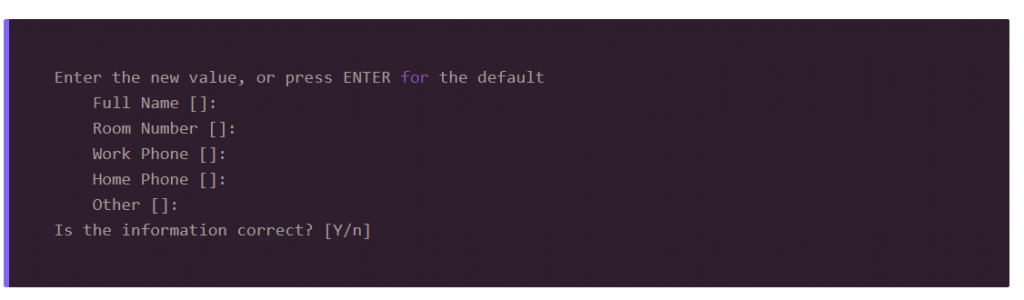
You’ll also be ask to input some other information. The default option is fine, so just hit Enter for each of these and then type Y to confirm.
Add the new user to the sudo group.
Before we can test out whether sudo access is working, we need to log into the user account.
Now, make sure your sudo access is working. One way of doing this is by listing the /root/ directory, which is only possible with sudo access. You’ll be ask for your user’s password to authenticate.